

Skills
Named playbooks a co-worker loads and follows. Equip them from the library, write your own, or let the co-worker save a route that worked so the next run is short.
A skill is a reusable named playbook: full instructions for a task, plus the list of tools that task is allowed to use. When a co-worker recognizes that a request matches a skill, it loads the skill and follows it instead of improvising a route from scratch.
The first time a co-worker meets a task it has to find its own way through your systems. With a skill, it takes the route that already worked.
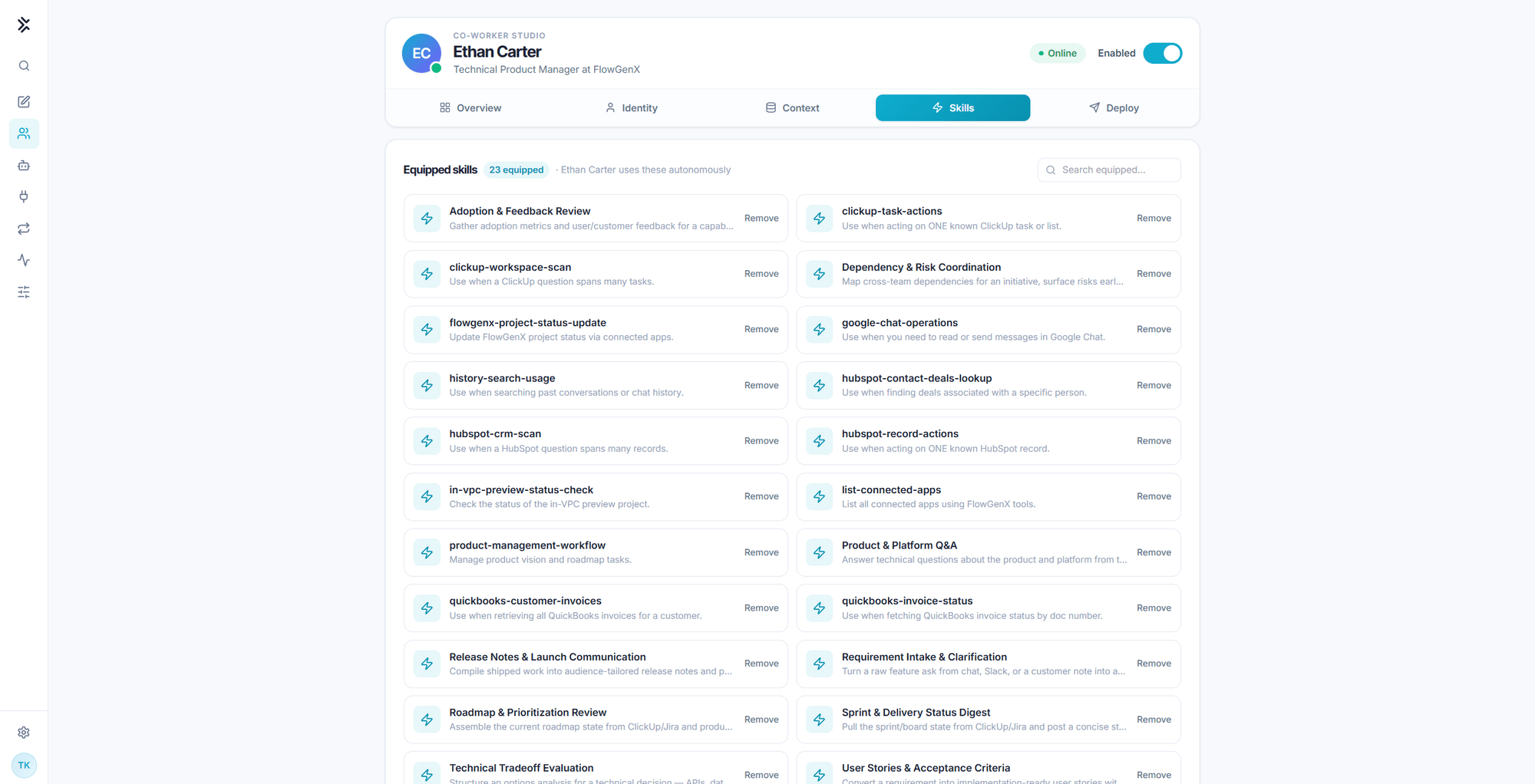
Equipped skills
The top card holds the equipped set, and the label says what matters about it: the co-worker uses these autonomously. Nothing here waits for a person to pick it.
- The badge shows how many are equipped.
- Search equipped filters by name and description when the list gets long.
- Remove unequips a skill. The skill stays in the library, this co-worker just stops reaching for it.
Equipping is the most direct control you have over scope. A co-worker holding CRM and ledger skills will use them when a request looks even slightly related, whatever its job description says. If a co-worker should not touch a system, unequip the skills that reach it.
Adding skills from the library
The lower card is a browsable library of everything available to your account.
| Control | What it does |
|---|---|
| Search skills | Matches name and description |
| Tag filter | Filters the library by tag, with a count per tag |
| Recommended banner | Offers a small bundle you can add in one click |
| Add | Equips the skill on this co-worker |
The recommendation is driven by the co-worker's job title. A title containing "CFO" pulls finance, reporting, budget, forecast, fundraising, and invoice tags; "engineer" or "CTO" pulls engineering; "sales" pulls sales and marketing. If a tag filter is active, that wins over the title. When neither matches anything, no banner appears, so the library never recommends arbitrary skills.
This is a practical reason to write a precise job title. "Coordinator" recommends nothing. "Accounts Receivable Analyst" recommends the right shelf.
How the co-worker picks a skill
Three mechanisms, in order of cost:
- The skills index. A compact index of the equipped set sits in context on every turn, so the obvious match is free.
- Search by topic. When the index does not obviously cover the task, the co-worker searches its skills by topic and gets the best matches with a short preview.
- Load and follow. It loads the winning skill by name, which returns the full instructions and the tool allowlist, then works through them.
You can see this happen in a channel. A well-formed run announces the load before it starts working:
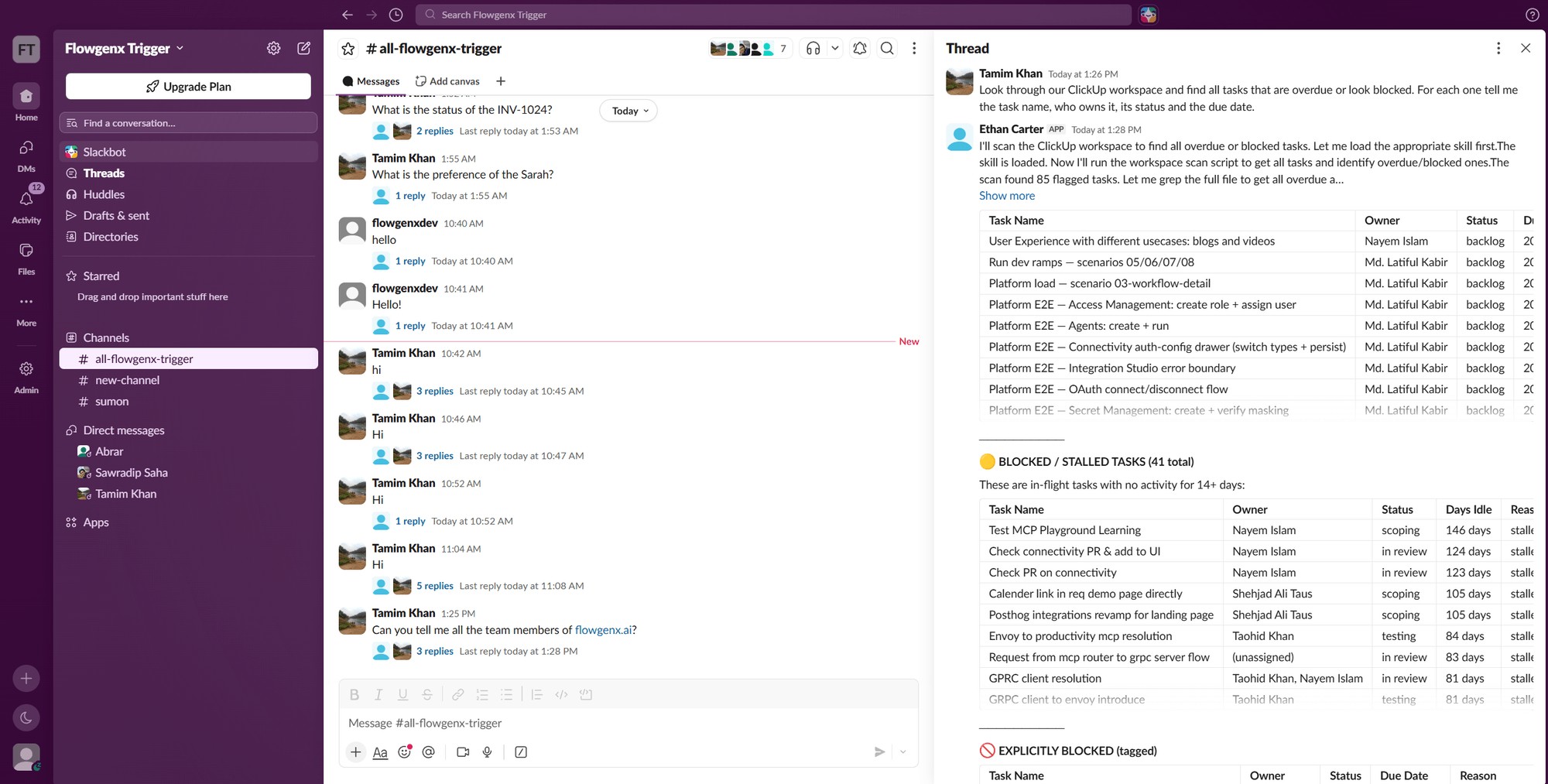
Writing a good skill
Two fields do the routing work, and both are read before the instructions ever load.
Name. A lowercase hyphenated slug that says what it acts on: clickup-workspace-scan, quickbooks-invoice-status, hubspot-contact-deals-lookup.
Description. Start with the conditions under which it applies, not with what it does:
Use when a ClickUp question spans many tasks.
Use when acting on ONE known ClickUp task or list.
Use when fetching QuickBooks invoice status by doc number.
Those three descriptions keep three similar skills apart. "Scans ClickUp" for all of them would not.
Then in the body, write the steps as you would for a competent colleague who has never done this particular task: where to look, what counts as done, what to return, and what to escalate instead of deciding.
A skill carries a tool allowlist. Keep it to what the playbook actually needs. A skill that only reads should not carry write tools, because the allowlist is what bounds the run once the co-worker is following the playbook unattended.
Skills the co-worker saves itself
A co-worker can create or update its own skills. When it finds a route that works, saving it turns an expensive exploration into a cheap repeat, and re-saving the same name overwrites the previous version.
This is why the Procedural memory store grows after a good run rather than after a conversation. See Context: memory and knowledge.
Review what accumulates. Self-saved skills are worth reading the same way you would review a colleague's runbook: they encode assumptions from the day they were written.
Skills, routines, and watchers
Three related things, easily confused:
| Runs when | Delivers to | Use for | |
|---|---|---|---|
| Skill | The co-worker loads it during a turn | The current conversation | A procedure you want followed consistently |
| Routine | On demand, or on a cron schedule | A configured webhook or Telegram channel | Recurring work that produces a result on its own clock |
| Watcher | Every few minutes, until a condition is true | Back into the same chat as a new turn | "Tell me when X changes" |
A routine's instructions should produce a result, not send it. Delivery is configured on the routine itself rather than written into its steps.
For work that has to land in Slack or Google Chat on a schedule, use a workflow instead. See Channels and proactive work.
Context: Memory & Knowledge
The four memory stores a co-worker keeps, the read-only knowledge base it retrieves from, and the playground that shows you which source produced which answer.
Tools & Connected Systems
The built-in capabilities every co-worker carries, the connected apps and MCP servers it reaches through, and how sensitive actions are approved.