

Context: Memory & Knowledge
The four memory stores a co-worker keeps, the read-only knowledge base it retrieves from, and the playground that shows you which source produced which answer.
Most assistants call one thing "memory" and mean a transcript. A co-worker keeps four separate stores plus a read-only view of your organization's knowledge base, and the Context tab is where you inspect all of it.
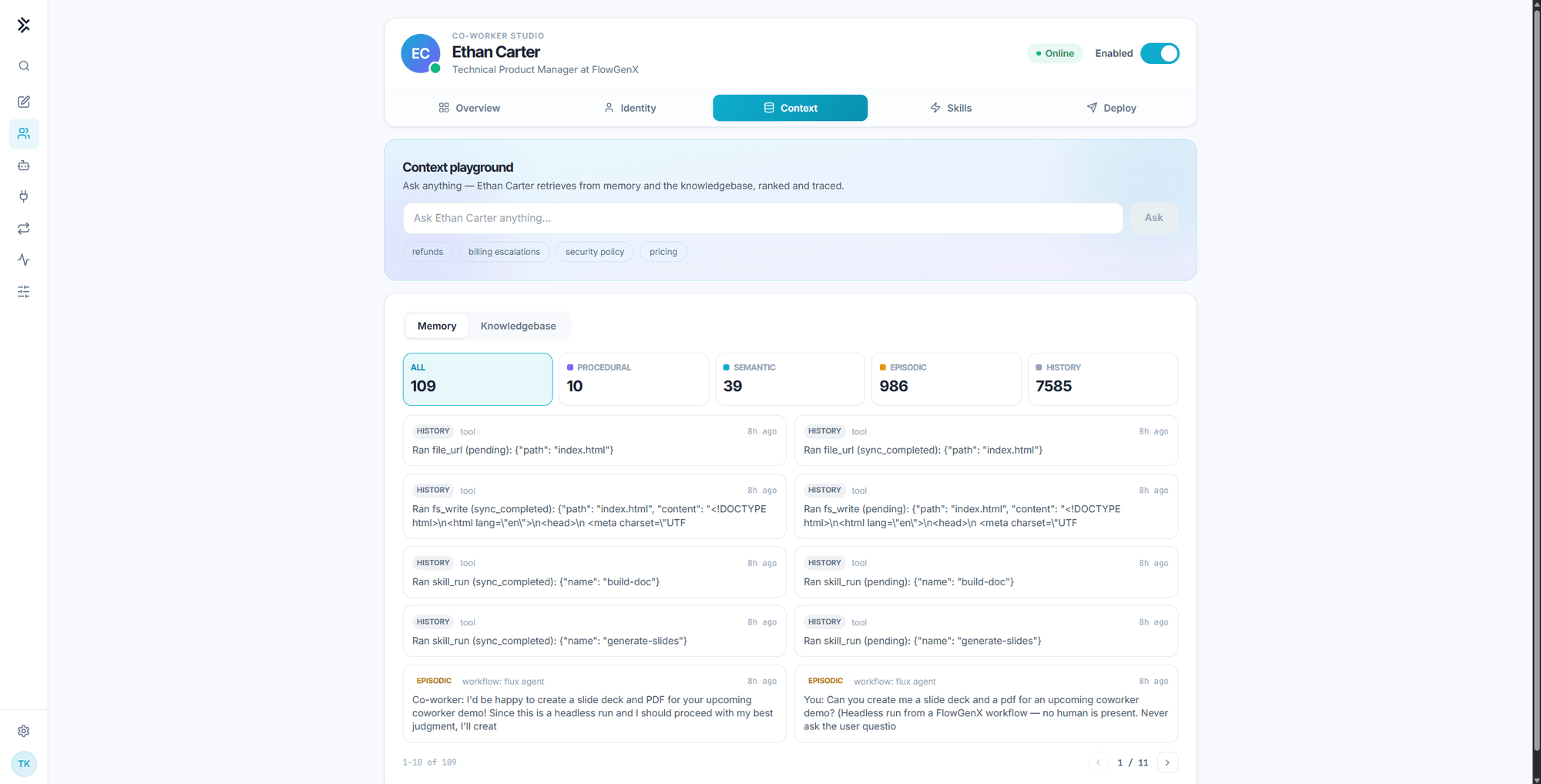
The four memory stores
| Store | What it holds | Example | How it grows |
|---|---|---|---|
| Procedural | How to do things | The saved route for scanning a task board | A run goes well and the procedure is kept |
| Semantic | What is true about the business | Who owns which surface, what "shipped" means here | Facts saved during conversations |
| Episodic | What happened | An individual run and what it did about it | Every run, including unattended ones |
| History | Every tool call, in order | The exact calls behind one answer, replayable | Automatically, on every turn |
The counters at the top of the memory card are live totals per store. Selecting one filters the list below it, and the list is paginated so a store with thousands of entries stays browsable.
The split is the point. "Did the digest go out?" is a History question and gets a definite answer. "What is our refund policy?" is a Semantic or knowledge question. Keeping them apart is what lets the co-worker answer the first kind without guessing and the second kind without inventing.
On a new co-worker every counter is at or near zero, and the Procedural store reports that nothing is captured yet. Memory accumulates as the co-worker works. The knowledge base, by contrast, is available from the first minute.
Semantic memory kinds
Entries in the semantic store carry a kind, which is how the co-worker tells a fact about a person from a fact about a project:
| Kind | Holds |
|---|---|
user | Facts and preferences about a colleague |
feedback | Guidance it was given about how to work |
project | Ongoing work, goals, and constraints |
reference | Pointers to external resources |
The co-worker can restrict a search to one kind when a general search would be noisy.
How memory reaches a turn
Recall runs at the start of every turn, before the model sees the request. The relevant memories are placed in context automatically rather than waiting for the co-worker to decide to go looking. Anything recall did not surface is still reachable through a search during the turn.
That standing block also carries a capacity readout for the profile and notes stores. When a store group approaches its budget, the co-worker is told to consolidate: merge overlapping memories and delete stale ones, rather than continuing to accumulate.
Memories reflect what was true when they were written. The co-worker is instructed to verify volatile details before relying on them, and to treat what a colleague states about themselves as outranking anything derived from a connected system. Treat a memory as a lead, not as a source of record.
The knowledge base
Switch the lower card to Knowledgebase to see what the co-worker can retrieve from your organization's documents.
- Read-only. Documents are authored and managed in the Knowledge Base. The co-worker retrieves from them and cannot write to them.
- Scoped by collection. The scope chips filter to a specific collection, so you can confirm what a given co-worker will and will not see.
- Searchable here. Search org and department knowledge from this tab to check coverage before anyone asks a real question.
Each result shows its title, scope, snippet, source, and relevance score. When the co-worker answers from a document in a channel, it cites the document by name.
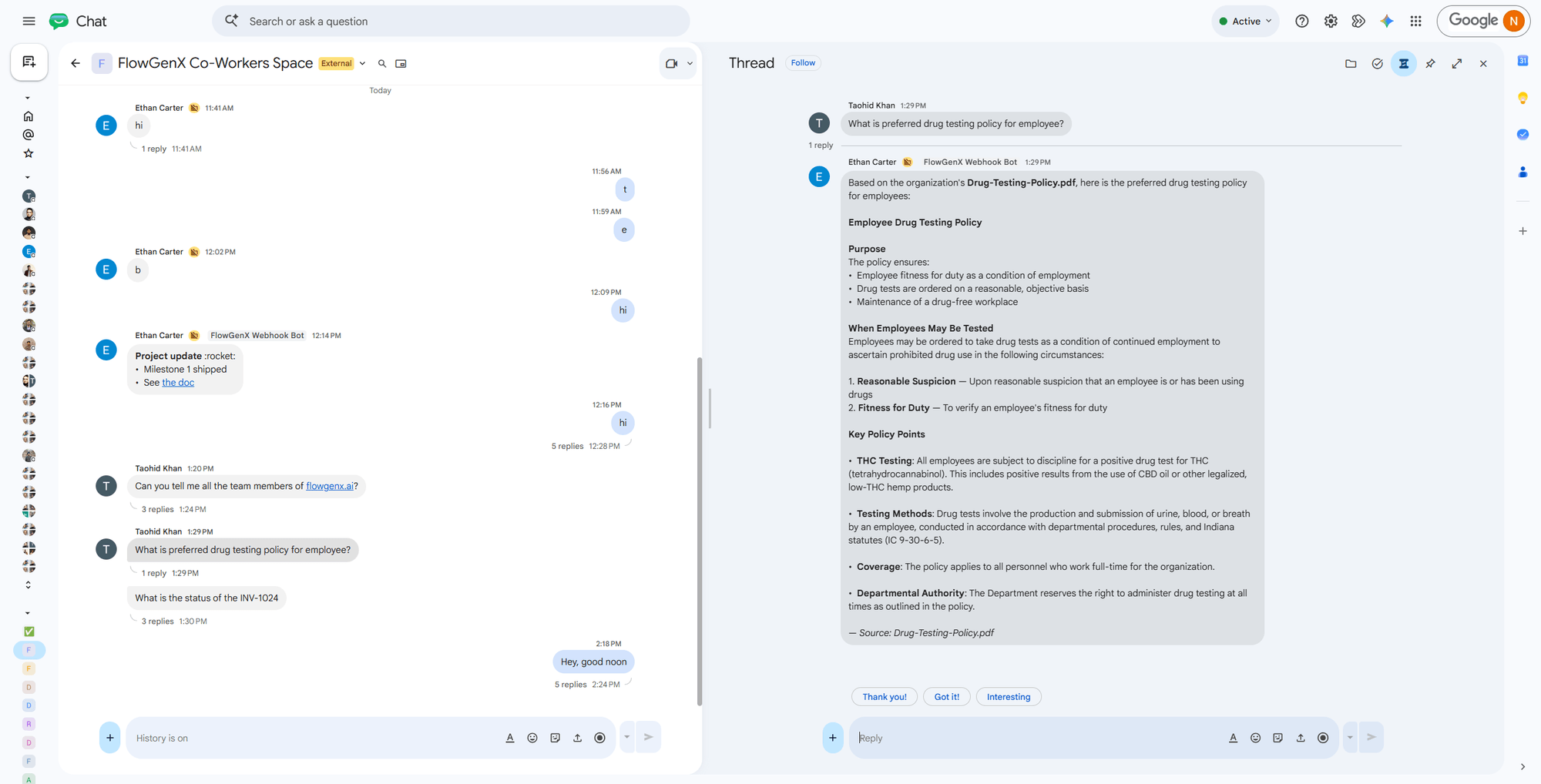
The Context playground
The panel at the top of the tab runs a retrieval against memory and the knowledge base together, and shows its work.
- Type a question, or use one of the suggested prompts.
- The answer appears on the left.
- Retrieved on the right lists the top sources, each tagged with its store or
Knowledge, and each with a relevance score.
Use it to answer three questions you cannot answer by reading an answer alone: did retrieval find anything, did it find the right thing, and which store did the sentence come from.
Tip. When a channel answer looks wrong, reproduce the question in the playground first. If the retrieved list is empty or off-target, the problem is coverage, not the co-worker's reasoning. Load the missing document, or save the missing fact, and try again.
Memory and the enable switch
Not every store survives the header switch being off.
| While disabled | State |
|---|---|
| Semantic memory | Still on. Every account keeps saved facts and can search them |
| Episodic activity digest | Not built. No recent-activity summary is assembled |
| Conversation history | Unavailable. The tool is withheld and blocked at execution |
| Knowledge base | Unavailable. Same withhold-and-block treatment |
So a disabled account is not amnesiac, it is narrowed: it keeps what it was told and loses what it observed. Turning the co-worker back on restores the rest on the very next message. See Governance and control.
Identity & Job Description
The four fields that decide who your co-worker is, how it sounds, and what work it takes on. Edit them directly or shape them by chatting with the Identity studio.
Skills
Named playbooks a co-worker loads and follows. Equip them from the library, write your own, or let the co-worker save a route that worked so the next run is short.