

Quickstart: Your First Document
Create a collection, upload a document, and ask questions against it — set up retrieval-augmented answers in about ten minutes.
The Knowledge Base turns your documents into something agents and workflows can search by meaning, not just keywords. This quickstart uploads one document and runs a semantic search against it, so you can see retrieval working end to end.
Before you begin
- Access to Knowledge Base (VectorVerse) in the platform.
- An embedding model available to your tenant. Documents are turned into vectors by an embedding model; without one, uploads cannot be indexed for search.
- A document to upload — a PDF, text, or other supported file.
Embedding model required. Semantic search depends on an embedding model. If Model Configuration shows none available, set one up (or use a shared model if your workspace has one) before uploading. The steps below are otherwise unchanged.
Step 1 — Create a collection
Goal: make a place for related documents. (~1 min)
Open Knowledge Base → Collections and create a collection. A collection groups documents that belong together (for example, "Product docs" or "HR policies") and is the unit that workflows and agents point at when they retrieve.
Step 2 — Upload a document
Goal: add your first file. (~3 min)
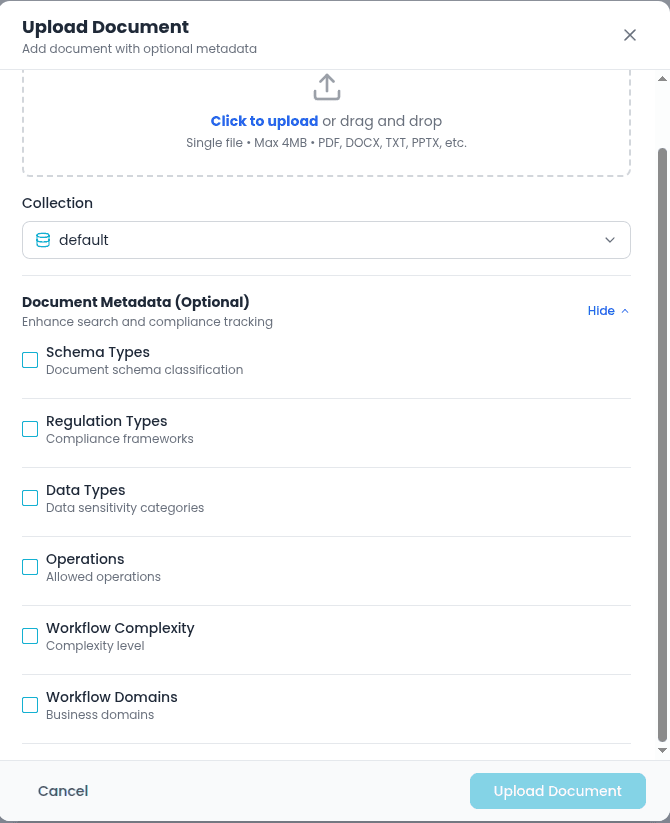
In Document Management, upload your file into the collection. FlowGenX parses it, splits it into chunks, and creates embeddings so it becomes searchable.
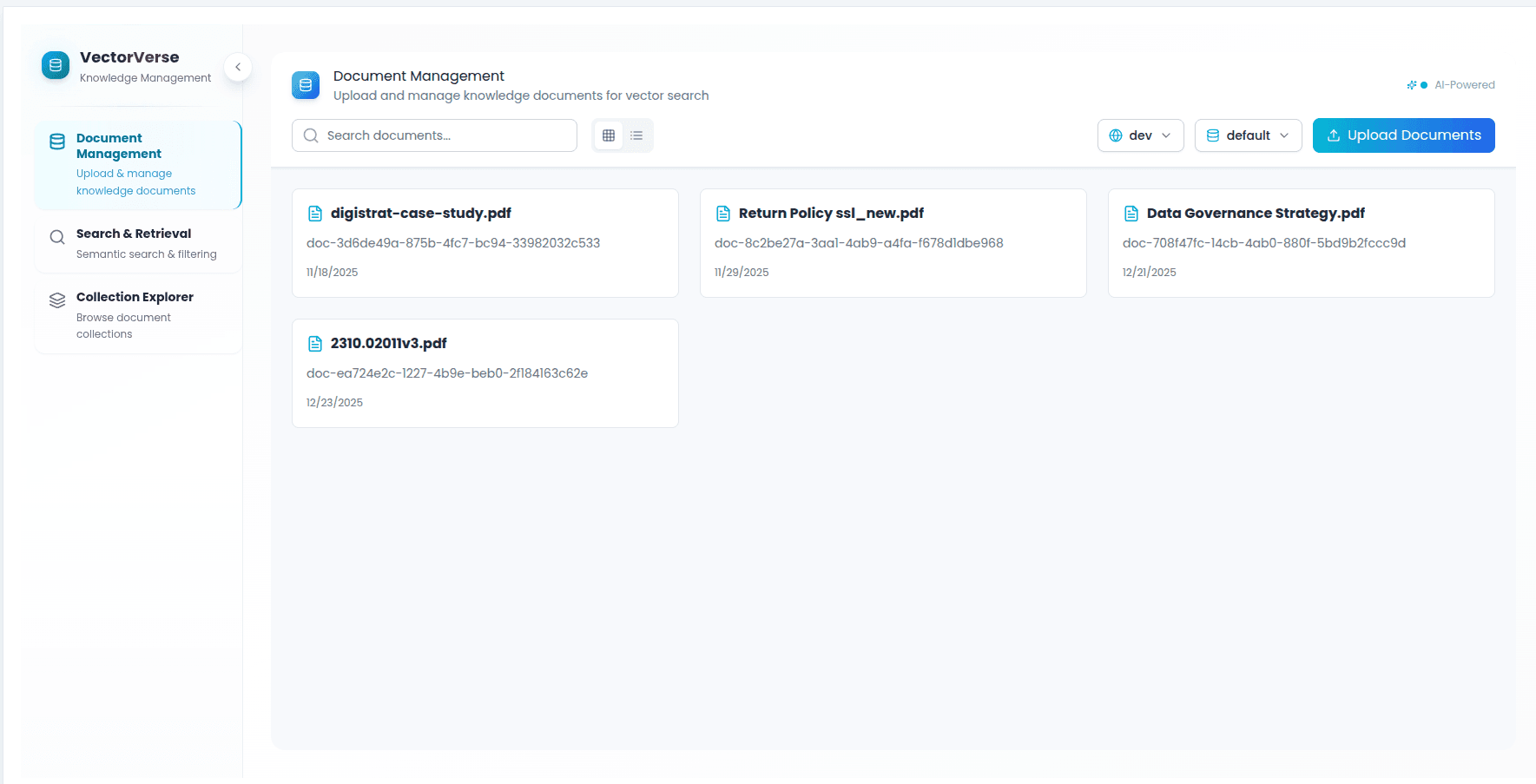
Optionally tag the source so you can filter and organize later.
✅ Verify: the document appears in the collection and finishes processing. Large files take a moment to parse and embed.
Step 3 — Search it
Goal: ask a question and get grounded results. (~2 min)
Open Semantic Search, choose your collection, and ask a natural-language question. Results come back ranked by meaning, with the passages they matched.
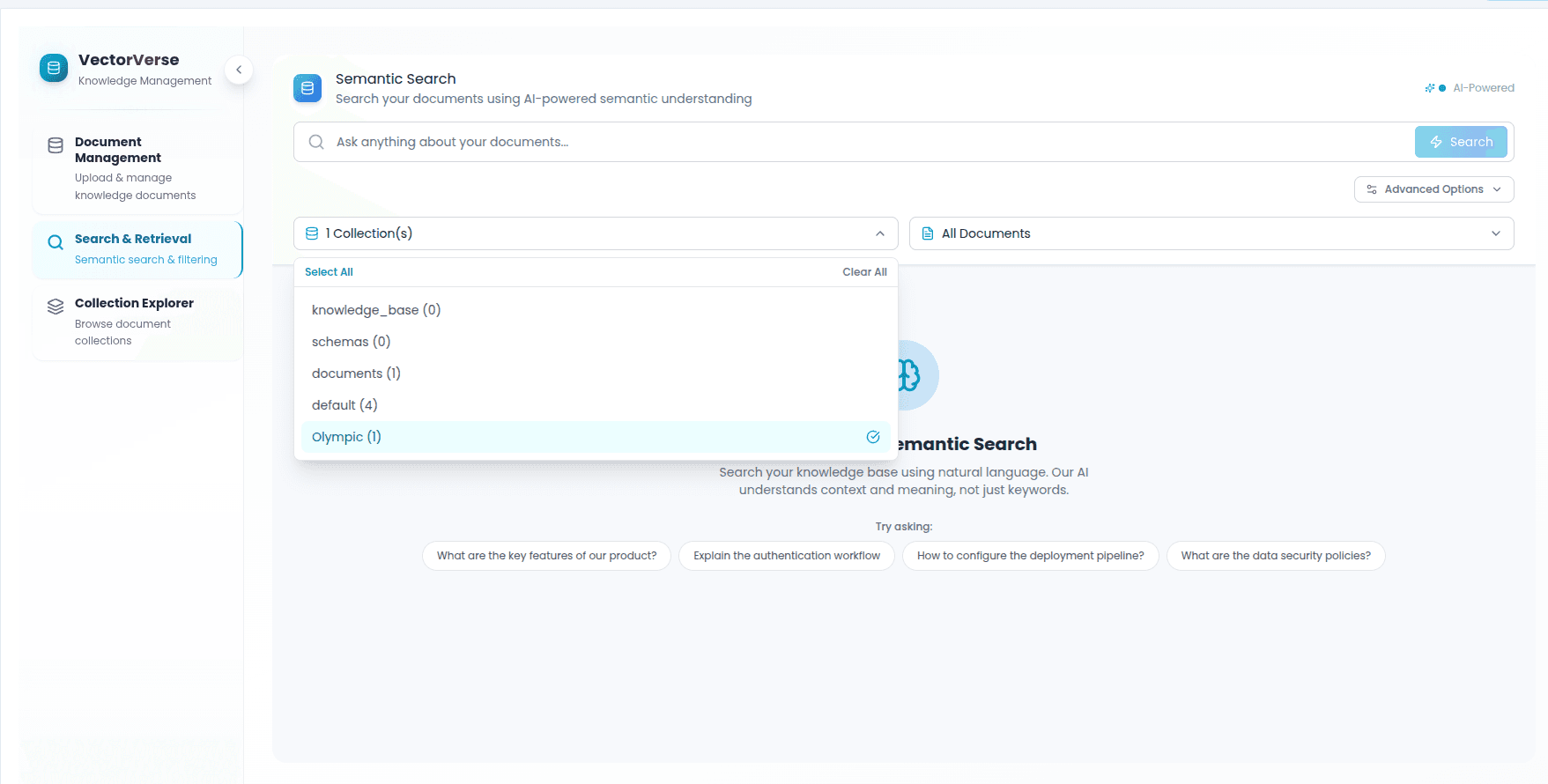
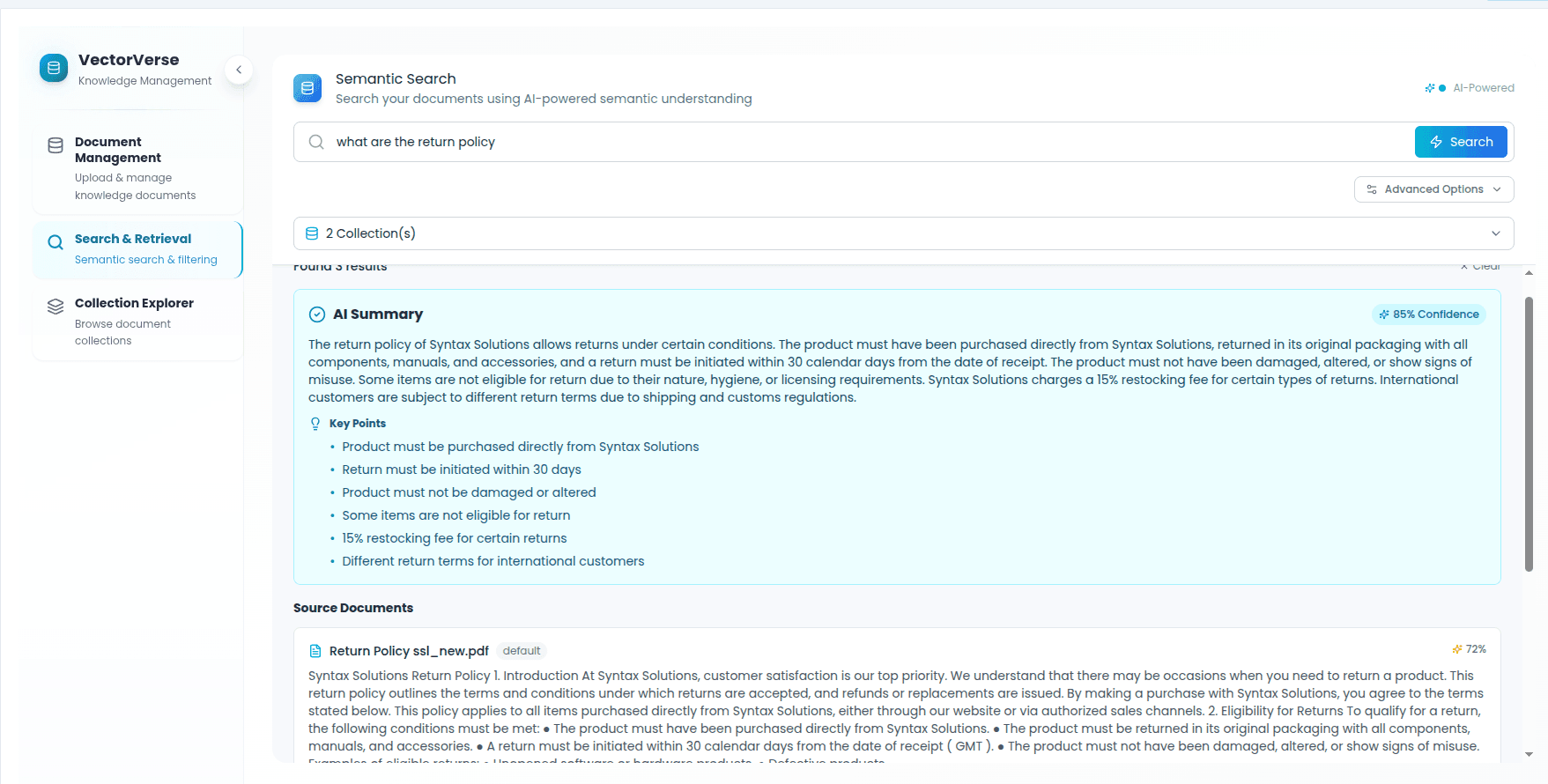
✅ Verify: the results include passages from your uploaded document. If nothing returns, confirm the document finished processing and that an embedding model is configured (see the prerequisite above).
Use it in an agent or workflow
Once a collection has documents, point a Knowledge Base node (or an agent's retrieval tool) at it so your automations answer from your own content. See Retrieval configuration for tuning how much context is pulled in.