

Document Management
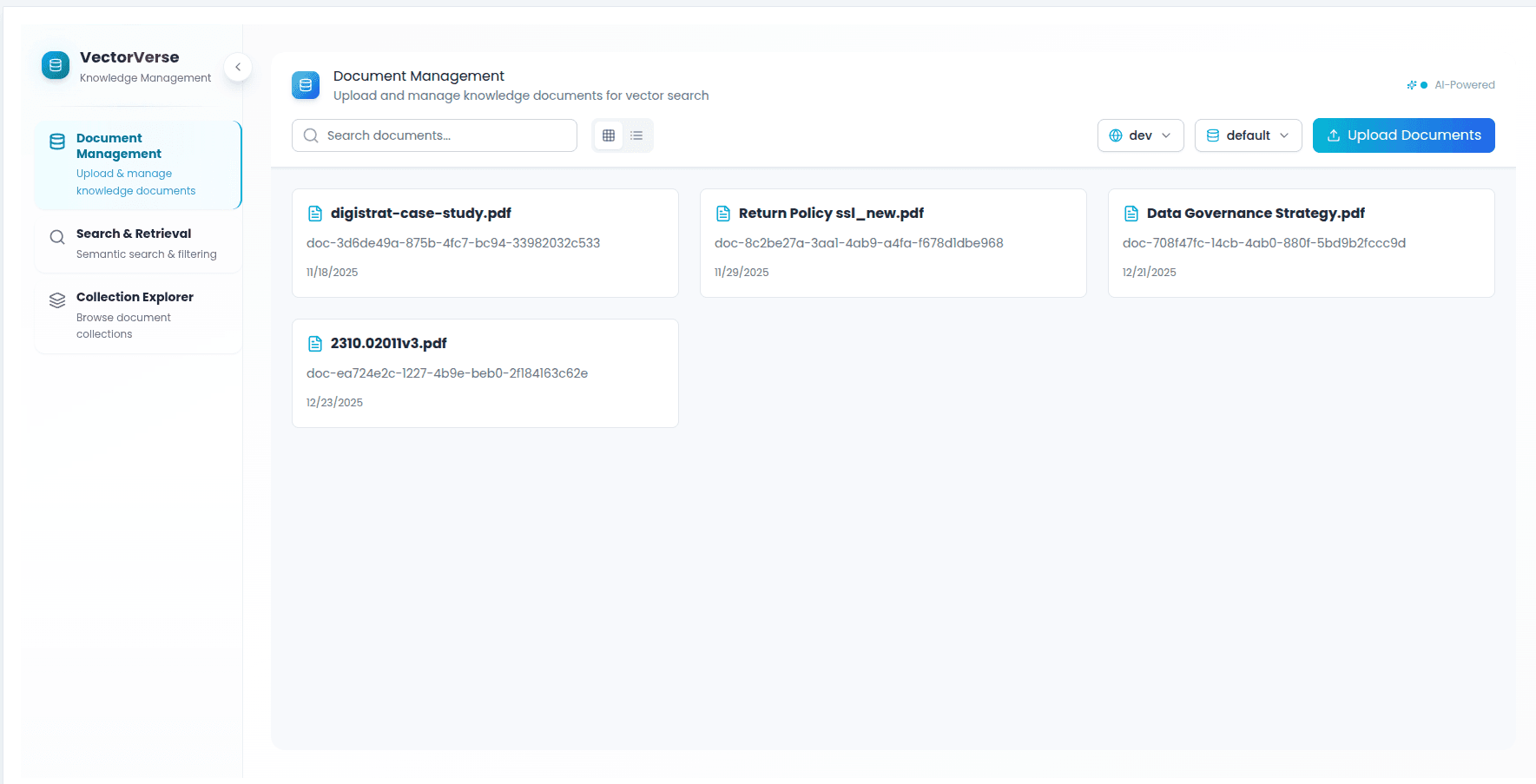
Document management in the FlowGenX AI Knowledge Base: upload, categorize, and manage your documents through a user-friendly interface.
Uploading Documents
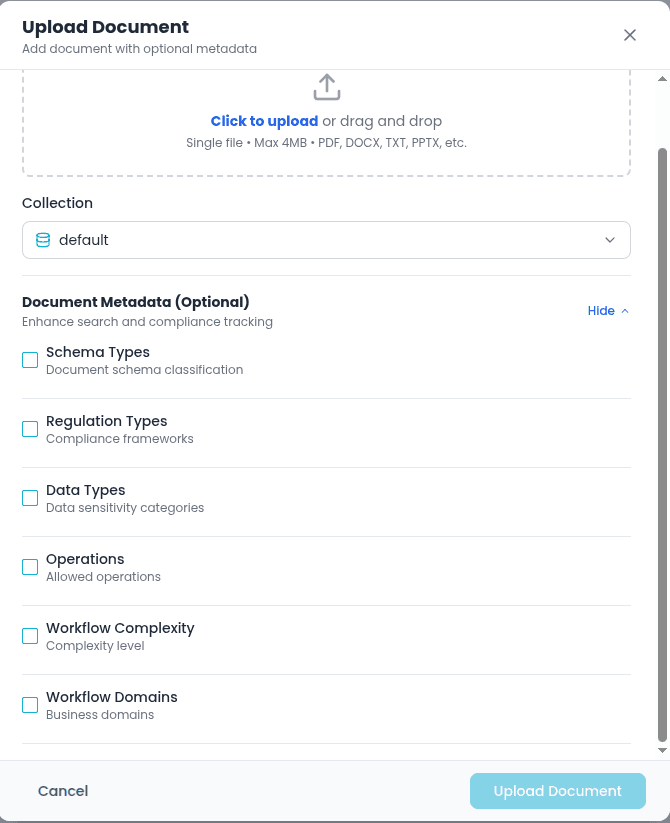
You can upload documents directly through the UI. Supported formats include PDF, DOCX, and TXT; see Data Sources for what is available now and what is coming.
Collections
Documents are organized into Collections. Think of a collection as a folder or a specific knowledge domain (e.g., "HR Policies", "Technical Docs", "Marketing Assets").
- Default Collection: If you don't specify a collection, documents are added to the default group.
- Custom Collections: You can create new collections or select existing ones during upload to keep your knowledge base structured.
Tagging and Metadata
To improve search accuracy, you can add tags and metadata to your documents. This helps the AI understand the context of the file (e.g., "Topic: Security", "Type: Report").
Document Processing
Once uploaded, our system automatically processes your documents:
- Text Extraction: We extract text from your files. We are also enhancing this with OCR (Optical Character Recognition) to handle scanned documents and images.
- Chunking: Large documents are broken down into smaller, meaningful chunks (see Chunking Strategies).
- Indexing: These chunks are indexed for fast, semantic retrieval.
Managing Your Library
You can view all your uploaded documents, filter them by collection, and delete outdated files to keep your knowledge base fresh and relevant.
Related: Security & Storage explains how indexed documents are isolated per tenant and encrypted.