

Semantic Search & Retrieval
Search your knowledge base in natural language: semantic search across collections, AI summaries with sources, and relevance settings.
Retrieval is the step that turns a question into the handful of passages an answer is written from. This page covers searching the Knowledge Base, the settings that shape what comes back, and how semantic, keyword and hybrid search differ.
Performing a Search
To search your knowledge base, open Knowledge Base → Semantic Search:
- Select Collection: Choose the collection you want to search within. You can search a single collection or several at once.
- Enter Query: Type your question in natural language (e.g., "What are the compliance requirements for data security?").
- Search: The system scans your documents to find the most relevant answers.
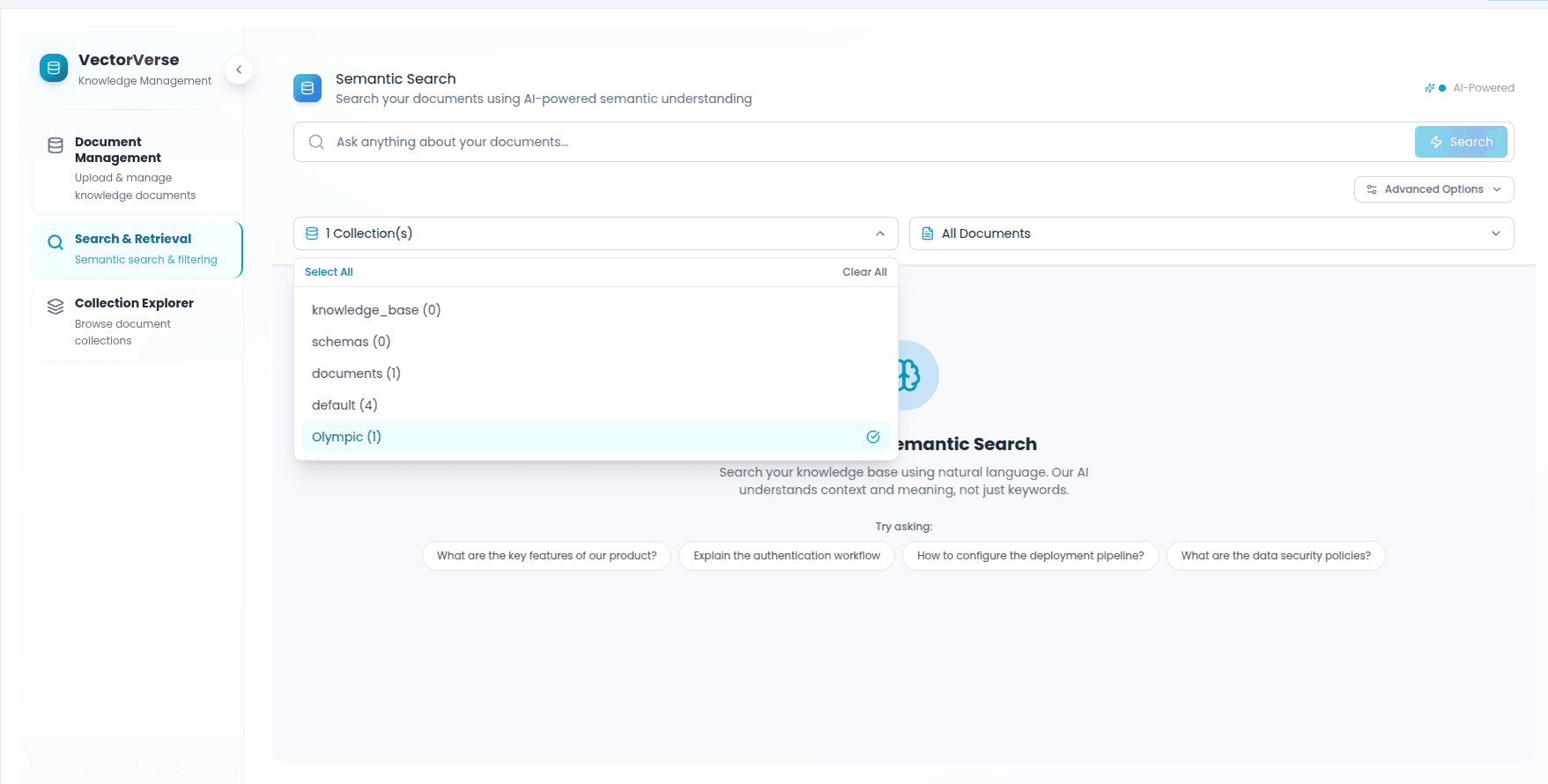
Search Results
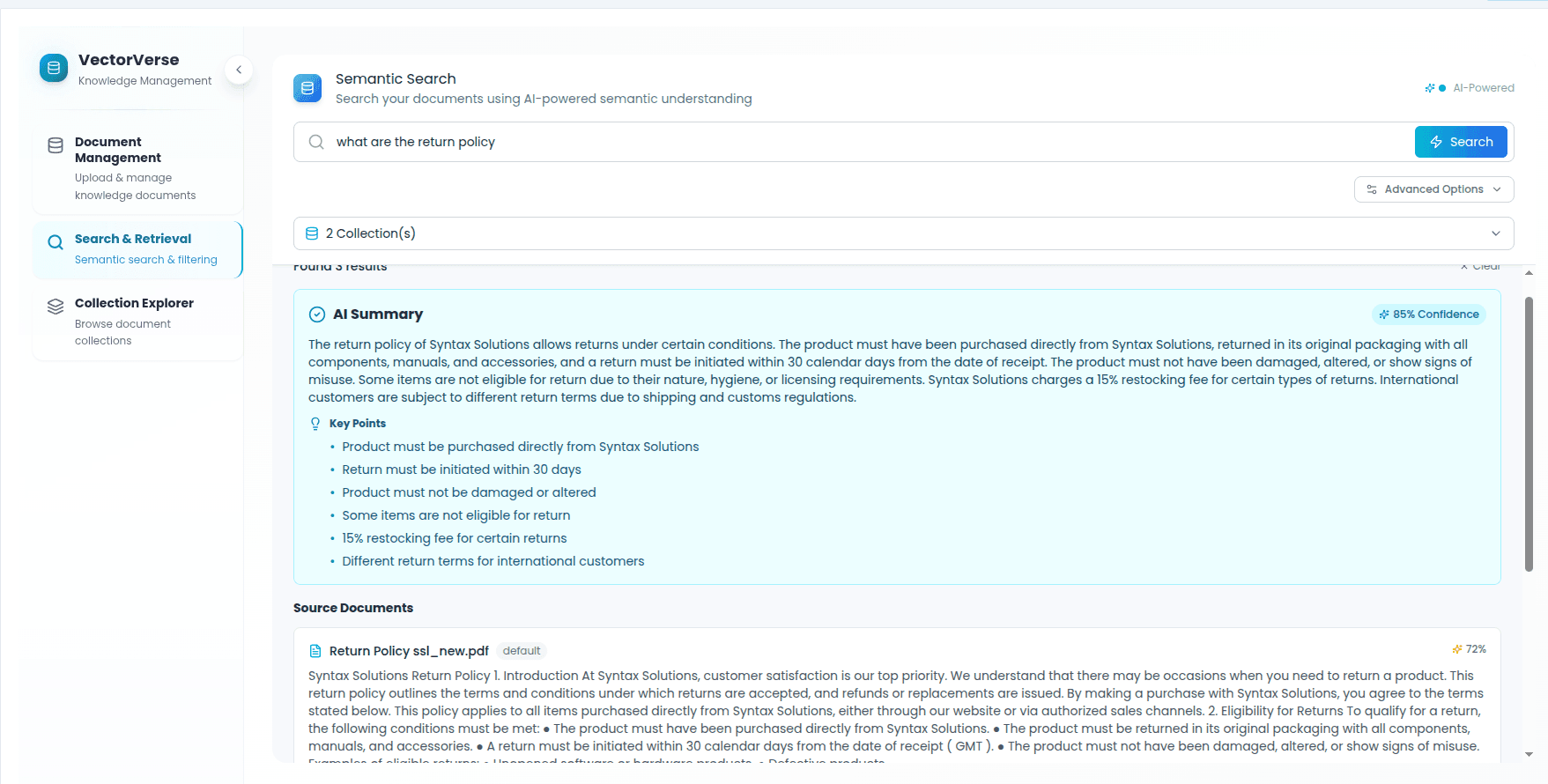
The system provides a comprehensive result view:
- AI Summary: A direct answer to your question, generated by AI from the retrieved passages using your tenant's default chat model.
- Sources: The matched passages, ranked by relevance, each with its document and score. Preview opens the document in place, Cite copies a citation, and Original opens the source file through a link valid for about an hour.
Copy as code turns the current query into a ready-to-run request in curl, Python or TypeScript, which is a quick way to move a query you have tested into your own application.
Retrieval Configuration
You can fine-tune how the system retrieves information:
- Multi-Document Selection: Select specific documents within a collection to narrow down your search scope.
- Max Results: Under Advanced Options, choose how many passages to return, from 1 to 10 (default 5).
- Metadata Filters: Also under Advanced Options, restrict results to documents tagged with a given Schema Type, Regulation or Data Type. Tags are set at upload; see Document Management.
The Knowledge Base workflow node has its own Max Results setting, from 1 to 50 (default 10), and can also be limited to selected documents. See API & Workflow Integration.
By combining semantic search with precise filtering, you give your AI agents and users the context that is actually relevant.
What is semantic search?
Semantic search compares meaning rather than words. The question and every stored chunk are turned into embeddings, and the chunks whose embeddings sit closest to the question's are returned. "How much leave do new parents get?" can find a passage about "parental leave entitlement" even though the two share almost no words. See Vector Store Security & Storage for how the embeddings are stored.
Its weakness is the opposite case. Exact strings such as an invoice number, a product code, an error message or a rare surname carry little meaning for an embedding model, so a purely semantic search can rank the one chunk that contains them below chunks that are merely about the same topic.
What is hybrid search?
Hybrid search runs a keyword search and a vector search over the same content and merges the two result lists. The keyword side (full-text ranking, or an algorithm such as BM25) rewards chunks that contain the exact terms in the query. The vector side rewards chunks that mean the same thing. A chunk that does well on both rises to the top, and a chunk found by only one side can still be returned.
The two sides score on different scales, so they cannot simply be added together. Two fusion approaches are common:
- Weighted score blending: normalise each score, then combine them with a weight. This is sensitive to how scores are normalised.
- Reciprocal Rank Fusion (RRF): ignore raw scores and combine positions. Each list adds
1 / (k + rank)for every chunk it returns, so a chunk ranked first on one side and fifth on the other beats one ranked tenth on both.
How hybrid search works in FlowGenX
The Knowledge Base retrieval service has a hybrid mode built on the same store as vector search:
- Vector side: cosine similarity between the query embedding and each chunk's embedding.
- Keyword side: PostgreSQL full-text search over the chunk text, using English stemming and web-search style query syntax.
- Fusion: weighted Reciprocal Rank Fusion with
k = 60. A weight, alpha, sets the balance: each chunk scoresalpha / (60 + vector rank) + (1 - alpha) / (60 + keyword rank). The default alpha is 0.7, which favours the vector side while still lifting exact matches. - Filters first: document and metadata filters are applied before either side ranks, so ranks reflect only the chunks you asked to search.
Hybrid mode is off unless a request turns it on. Searches from the Semantic Search page and the Knowledge Base node use vector search.
Re-ranking and other retrieval options
The retrieval service supports further request options. They are not settings on the Semantic Search page.
- Re-ranking: a cross-encoder rescores a larger candidate pool (three times the requested number) and keeps the best. It uses Cohere's re-ranker when one is configured, and a local cross-encoder model otherwise.
- Per-document cap: limits how many chunks one document can contribute, so a long document does not crowd out the others.
- Diversity (MMR): Maximal Marginal Relevance trades a little relevance for less repetition among results.
- Context expansion: adds neighbouring chunks to the context used for the AI summary, so a passage that starts mid-thought still reads as a whole.
When to use hybrid search
- Use vector search for natural-language questions over prose: policies, manuals, knowledge articles.
- Use hybrid search when questions include identifiers, codes, names or quoted phrases, or when content mixes prose with tables and reference data.
- Fix chunking first if results are poor either way. Retrieval can only return chunks that exist, so a passage split badly will rank badly under any method. See Chunking strategies.