

Environments
Create and manage per-tenant API environments — dev, staging, production — with slug-style names used directly in your API URLs.
Environments let you separate your work into distinct contexts — such as dev, staging, and production — within a single tenant. Each environment has a short, slug-style name that is used directly in your API URLs, so requests are routed to the right context automatically.
You'll find Environment Management under Manage → Access Management → Environments.
Manage your API environments with slug-style names
Environments are scoped to your tenant — the list shows the ones defined for it.
How Environments Map to URLs
An environment's name becomes part of the API hostname, so the environment you target is determined by the URL itself:
https://{tenant}-{env-name}.dev-api.flowgenx.ai/api/v1/...The {env-name} placeholder is replaced by the environment's slug (for example dev, staging, or prod).

Because the name is used verbatim in the URL, keep it short and predictable.
Viewing Environments
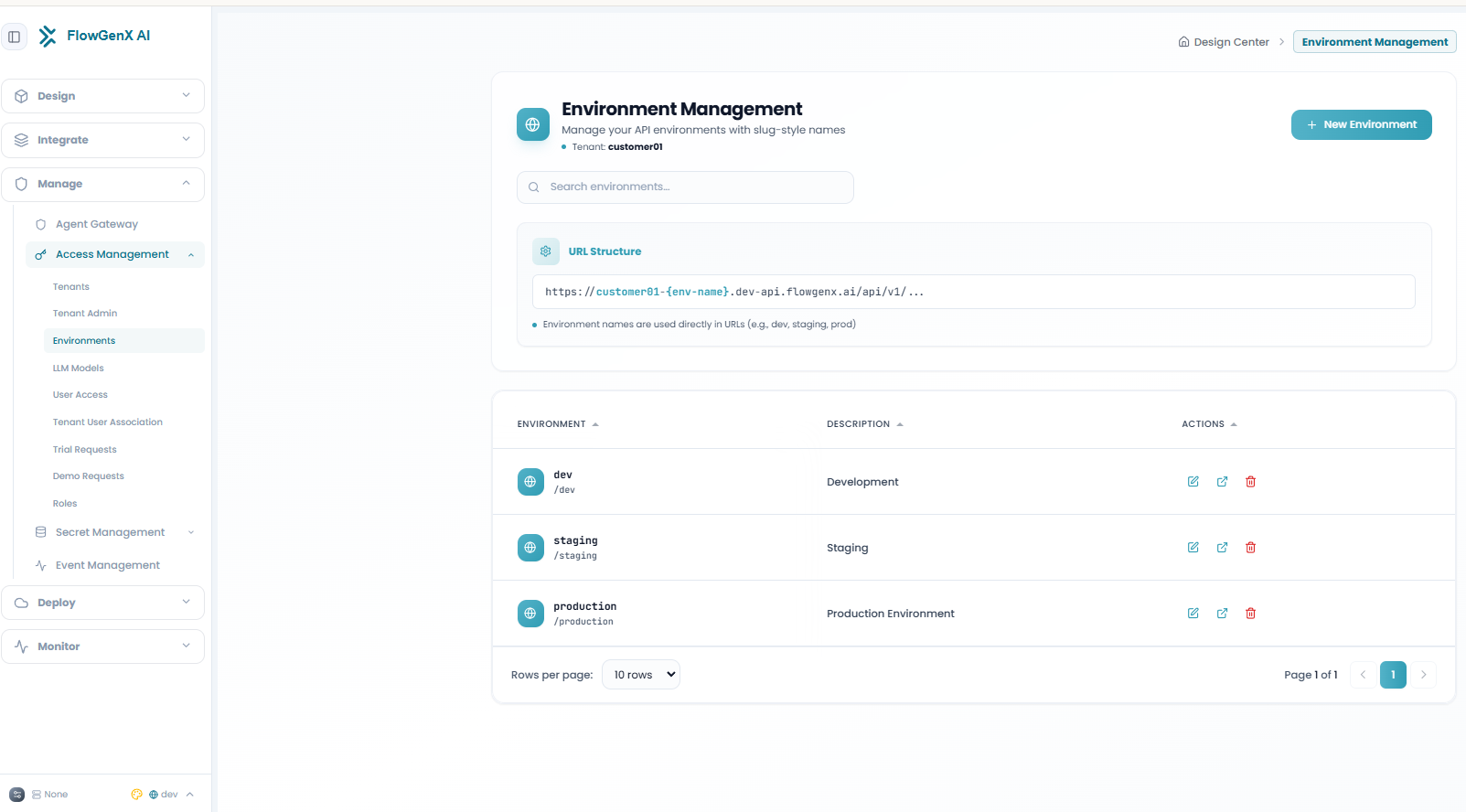
The Environment Management screen lists every environment defined for the current tenant. Each row shows:
| Column | Description |
|---|---|
| Environment | The environment's name and its URL slug (for example dev → /dev). |
| Description | A short, human-readable summary (for example "Development", "Staging", "Production Environment"). |
| Actions | Edit, open, or delete the environment. |
Use the Search environments… box to filter the list by name, and the pagination controls at the bottom to page through larger lists.
Creating an Environment
Click New Environment to open the creation dialog and define a new context for the current tenant:
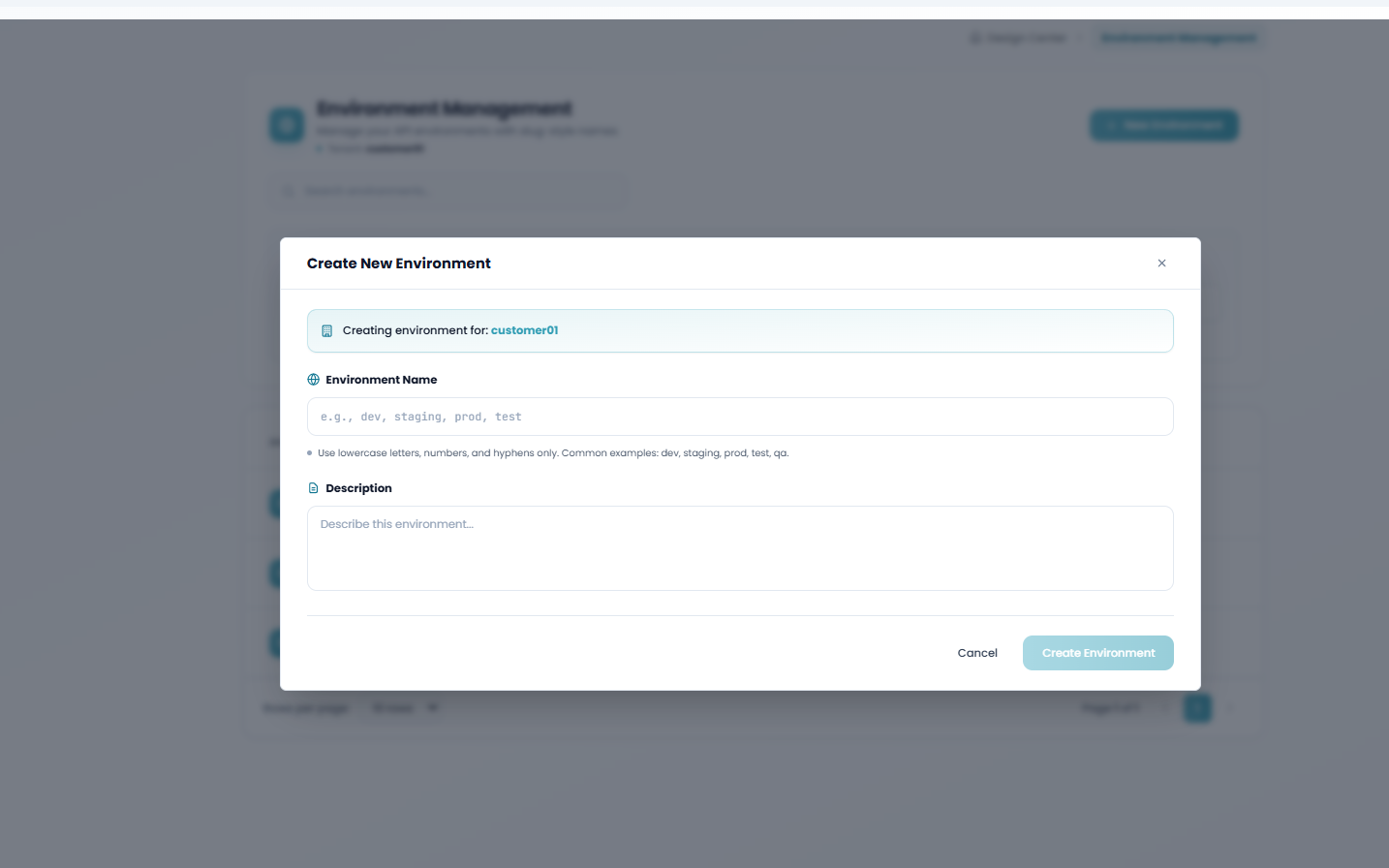
Environment Name
Enter a slug such as dev, staging, prod, test, or qa. Use lowercase letters, numbers, and hyphens only — this value appears directly in your API URLs.
Description
Add an optional summary so teammates can tell environments apart at a glance.
Create
Click Create Environment. The new environment appears in the list and is immediately available in the URL pattern above.
Naming Rules
- Lowercase letters, numbers, and hyphens only
- Keep it short — it becomes part of every API URL for that environment
- Common examples:
dev,staging,prod,test,qa
Managing Environments
Each row in the list provides actions to maintain the environment: