

Prompt Templates
Prompt templates in FlowGenX: create reusable prompts that guide agent behavior, start from pre-built templates, and keep agents consistent.
Prompt templates are reusable prompts that define how agents behave. Create proven prompts once, use them across multiple agents.
Why Templates
- Consistency - Same behavior across agents
- Reusability - Use once, deploy many times
- Easy iteration - Improve template = improve all agents using it
- Speed - Faster agent creation with proven prompts
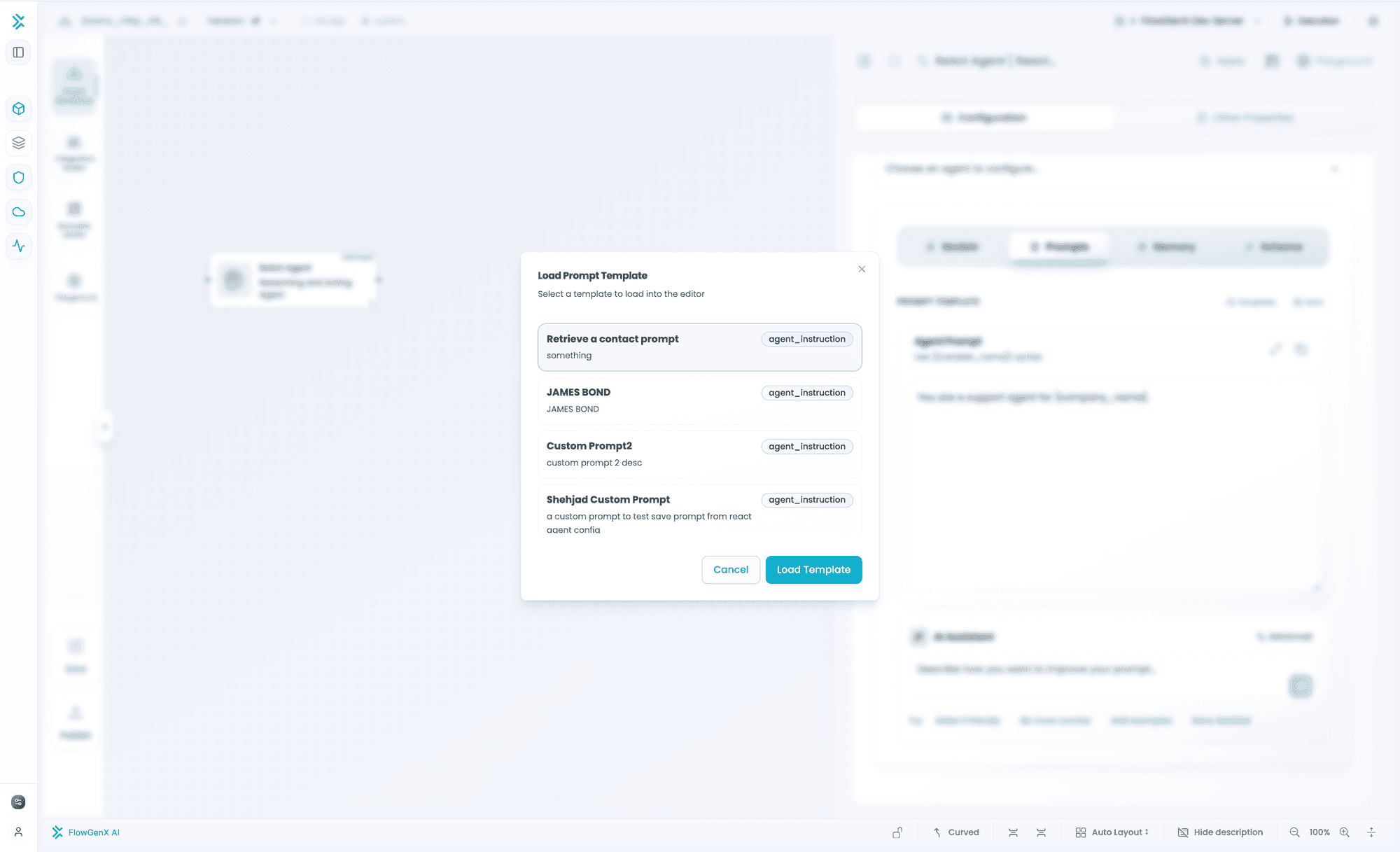
Using Pre-built Templates
FlowGenX provides templates for common scenarios: Customer Support, Data Analysis, Content Generation, Decision-Making, Research Assistant, etc.
To use a template:
- Open agent configuration
- Go to Prompt section
- Click Browse Templates
- Select template to preview
- Click Use This Template
- Customize if needed
Creating Custom Templates
Template Structure:
You are [ROLE].

Your responsibilities are [WHAT YOU DO].

Guidelines:
- [Guideline 1]
- [Guideline 2]
- [Guideline 3]

Always [positive instruction].
Never [constraint].

Format [output format].
What makes a good template:
- Clear role definition
- Specific instructions
- Constraints on length/tone/format
- Examples of good behavior
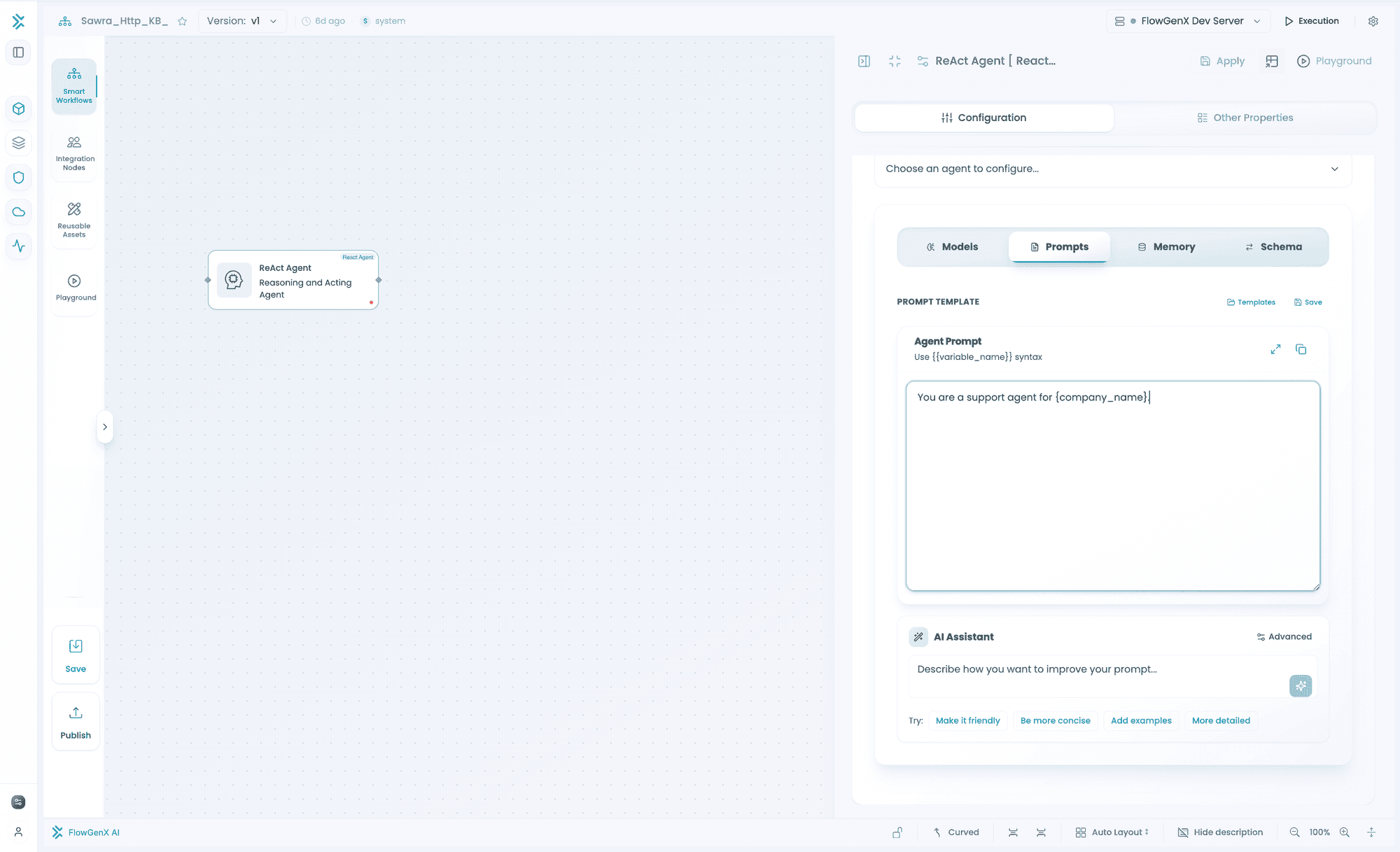
Template Variables
Make templates flexible with {{variable_name}} placeholders:
You are a support agent for {{company_name}}.When the agent runs, variables get filled in automatically.
Common variables:
{{company_name}}- Company name{{user_role}}- User's role{{current_date}}- Today's date
Define variables when creating your template - specify name, type, and default value.
Dynamic Variables with Expression
Use Expression to inject live workflow data into prompts:
Process this customer request: {workflow.customer_message}
Analysis for: {previous_node.dataset}
When setting up an agent:
- Click on a variable field
- Click Insert Workflow Variable
- Browse available workflow data
- Select what to inject
Testing Templates
In the template editor:
- Click Test Template
- Provide sample values for variables
- See how complete prompt looks
In Agent Playground:
- Create agent using your template
- Run test inputs
- Observe agent behavior
- Does it follow instructions? Quality good?
Adjust template if needed and re-test.
Template Organization
Keep your template library organized:
Use folders:
- Customer Service
- Data Analysis
- Content Generation
- By industry or use case
Naming:
- "[Purpose] - [Specialization]"
- "Support Agent - Billing Issues"
- "Analyst - Sales Performance"
Common Template Patterns
Support Agent:
You are a customer support specialist for {company_name}.

When customers ask about {topic}:
1. Acknowledge their concern
2. Provide a clear solution
3. Offer additional help

Always be {tone}.
Analysis Agent:
You are a {type} analyst.

When analyzing {data_type}:
1. Identify key metrics
2. Note important patterns
3. Provide insights
4. Format as {format}
Content Generator:
You are a {content_type} creator specializing in {specialty}.

Create {content_type} for {audience} with {tone} tone.
Length: {length}.
Include: {key_elements}.
Best Practices
- Be specific - Vague instructions produce vague results
- Set constraints - Specify length ("under 200 words"), tone, format
- Use context - Inject relevant data from workflow
- Iterate - Test in Playground, refine, test again
- Handle edge cases - Include instructions for unusual situations
Troubleshooting
Agent gives inconsistent answers
- Make prompt more specific
- Add examples of desired behavior
- Lower model temperature (less creativity)
Agent ignores instructions
- Move important instructions to beginning
- Make instructions clearer
- Test with different variables
Agent's responses wrong length
- Add explicit length constraints
- Specify format ("use bullet points")
- Show examples of correct length
Next Steps
Agent Memory
Configure AI agent memory in FlowGenX: conversation, task and long-term user memory, execution- or workflow-level scope, and how to test it.
Agent Playground
Evaluate AI agents before production: test in chat or structured mode, watch each node run, and check prompts, memory, tools and model performance.