
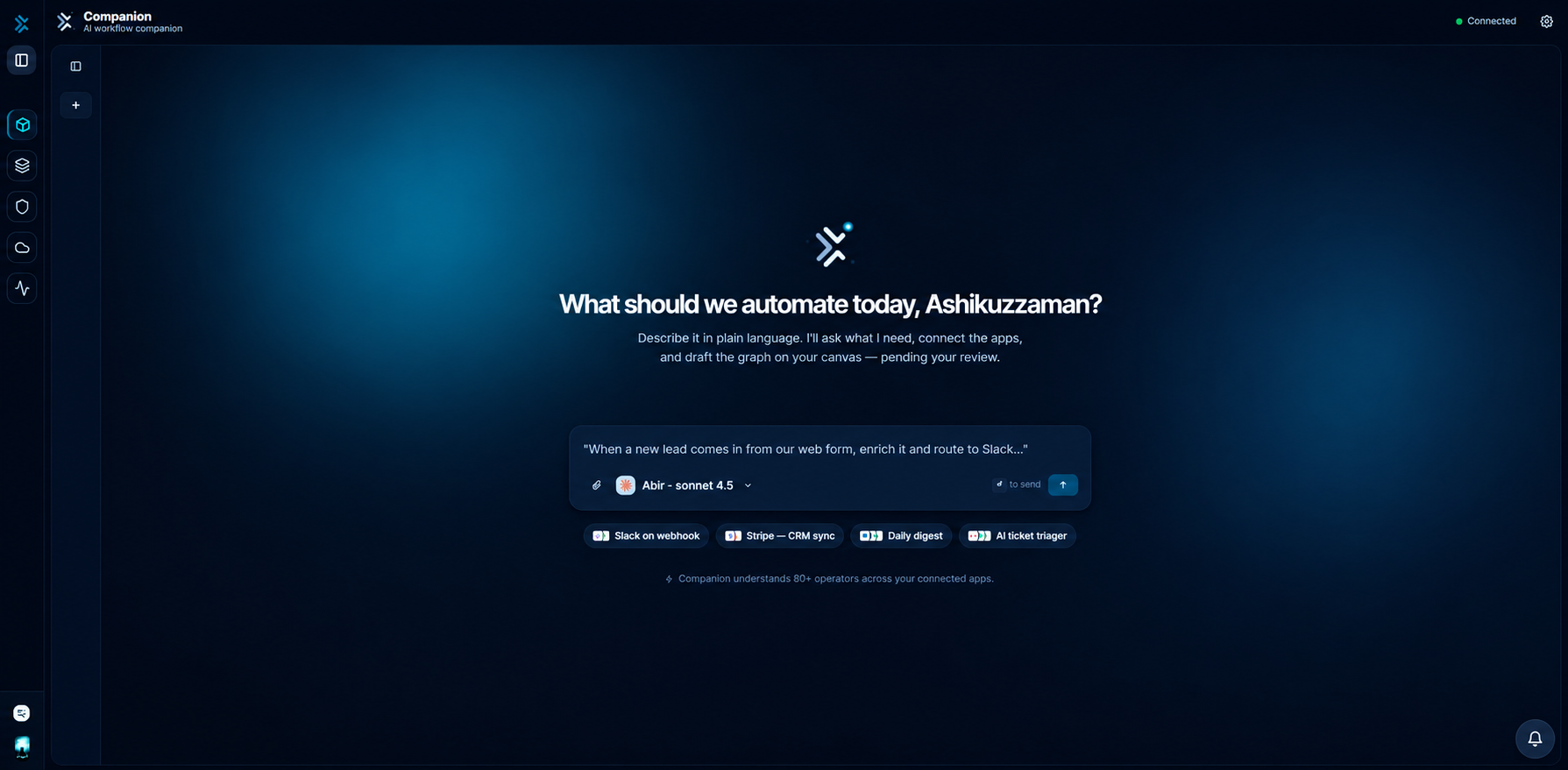
There is a particular moment in every "describe it and the AI builds it" demo where the magic stops.
The model produces a beautiful workflow definition. The presenter smiles. And then — off camera, after the recording ends — someone opens a different tool, pastes the config in, hunts down the right API credentials, fixes the endpoint the model guessed wrong, and publishes it by hand.
The demo generated a document. A person did the work.
We built FlowGenX Companion because we think that gap is the entire problem. Generating configuration is the easy half. The hard half is earning the right to execute.
Why build-by-chat stalls
Three things reliably stop a conversational builder at the edge of a real enterprise:
It can't reach your systems. An assistant that only writes config still needs a human to wire credentials, resolve endpoints, and complete OAuth handshakes. The conversation ends exactly where the work begins.
It can't be trusted with production. An assistant that can publish a workflow can also publish the wrong one. Without a governance model, the only defensible answer is read-only access — which turns your AI platform into a search box.
It can't show its work. A wall of generated prose is not an audit trail. When something breaks at 2am, teams need to know which tool ran, with what arguments, who approved it, and what changed.
Most products solve the first problem and hope you don't ask about the second and third. That ordering is backwards. In an enterprise, capability without governance doesn't ship — it gets a pilot, then a security review, then a quiet death.
Governance as a property of the tool
So we started at the other end.
In Companion, every tool the model can reach declares a risk tier as part of its own definition — not in a prompt, not in a config file an admin might forget to fill in:
| Tier | Kind of action | What happens |
|---|---|---|
| T0 | Read | Runs immediately |
| T1 | Safe write | Runs immediately, logged |
| T2 | Consequential | Pauses for human approval |
| T3 | Destructive | Approval plus written justification |
Listing connectors is T0. Drafting a workflow graph is T1. Publishing that workflow to production is T2 — the turn stops, and nothing happens until a person says yes. Deleting data or revoking access is T3, and the approver has to record why before it proceeds.
The important detail is where this lives. The tier is attached to the tool, and the gate sits in the execution path between the model and your systems. That means it holds regardless of what the model decides to attempt. There is no prompt you can write, and no instruction the model can talk itself into, that routes around it — because the check isn't something the model performs. It's something that happens to the model's output.
Approving a call, not a command
"Approve publish_workflow?" is a useless question. Nobody can answer it responsibly.
So the approval card shows the call rather than the verb:
- Which tool, and the tier it's gated at.
- The arguments it will run with, wherever the call takes them — which record, which endpoint, which payload.
- A written justification, which a destructive action cannot proceed without.
The arguments are what make the decision answerable. "Write to the CRM?" is unanswerable; "write this field, on this record" takes about two seconds. And when the action is a publish, the graph in question is already rendered on the canvas beside the card — you are approving something you can see.
Two properties matter as much as the card itself. Approvals fail closed — an unattended request expires and the call is blocked, so walking away is never an accidental yes. And every decision, including denials and expiries, is written to a durable record with the tool, the tier, the arguments, the reason given, and who decided.
Reaching the estate
Governance only matters if there's something to govern. Companion assembles its toolset fresh for each conversation, from four places:
- 200+ managed enterprise connectors — CRM, ITSM, HRIS, finance, storage, messaging — with credentials resolved per tenant at call time. The model receives results, never secrets.
- Your internal services, exposed as first-class tools without bespoke connector development.
- MCP servers your teams have connected, which join the same assembly path and inherit the same tiering and audit behaviour.
- Workflow design and lifecycle tools, backed by the platform's own engine.
All four converge on a single assembly step — and that's also where administrator policy is applied. Tools disabled for a user are subtracted before the toolset reaches the model. A disabled capability is genuinely absent from the session, not merely discouraged by instructions. It never enters the context, so it can never be argued back in.
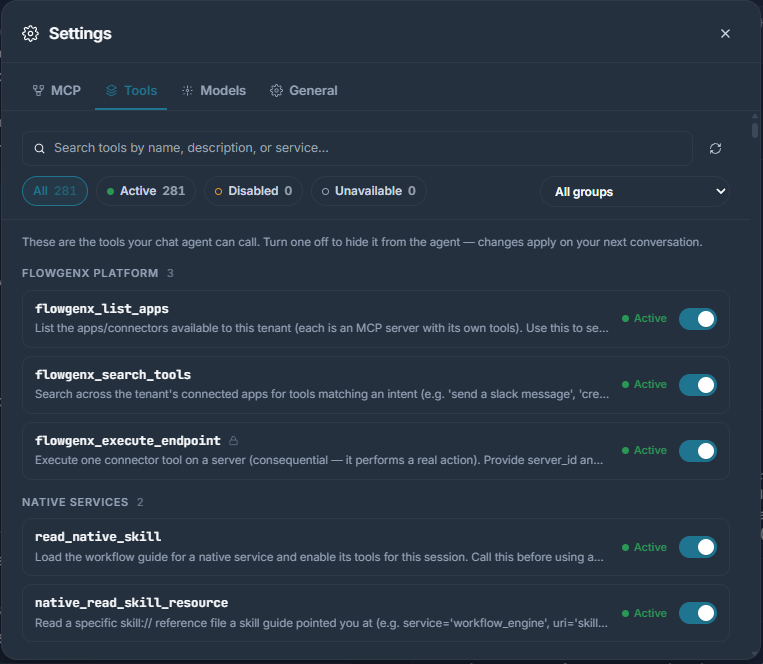
Every tool the agent can reach, with its live status. Consequential ones are marked. Turning one off removes it from the next session's toolset entirely — the model is never told it existed.
When a system needs authorising, Companion renders a connect card inline, waits for the handshake, and picks the task back up. No tab-switching, no returning to a half-finished conversation.
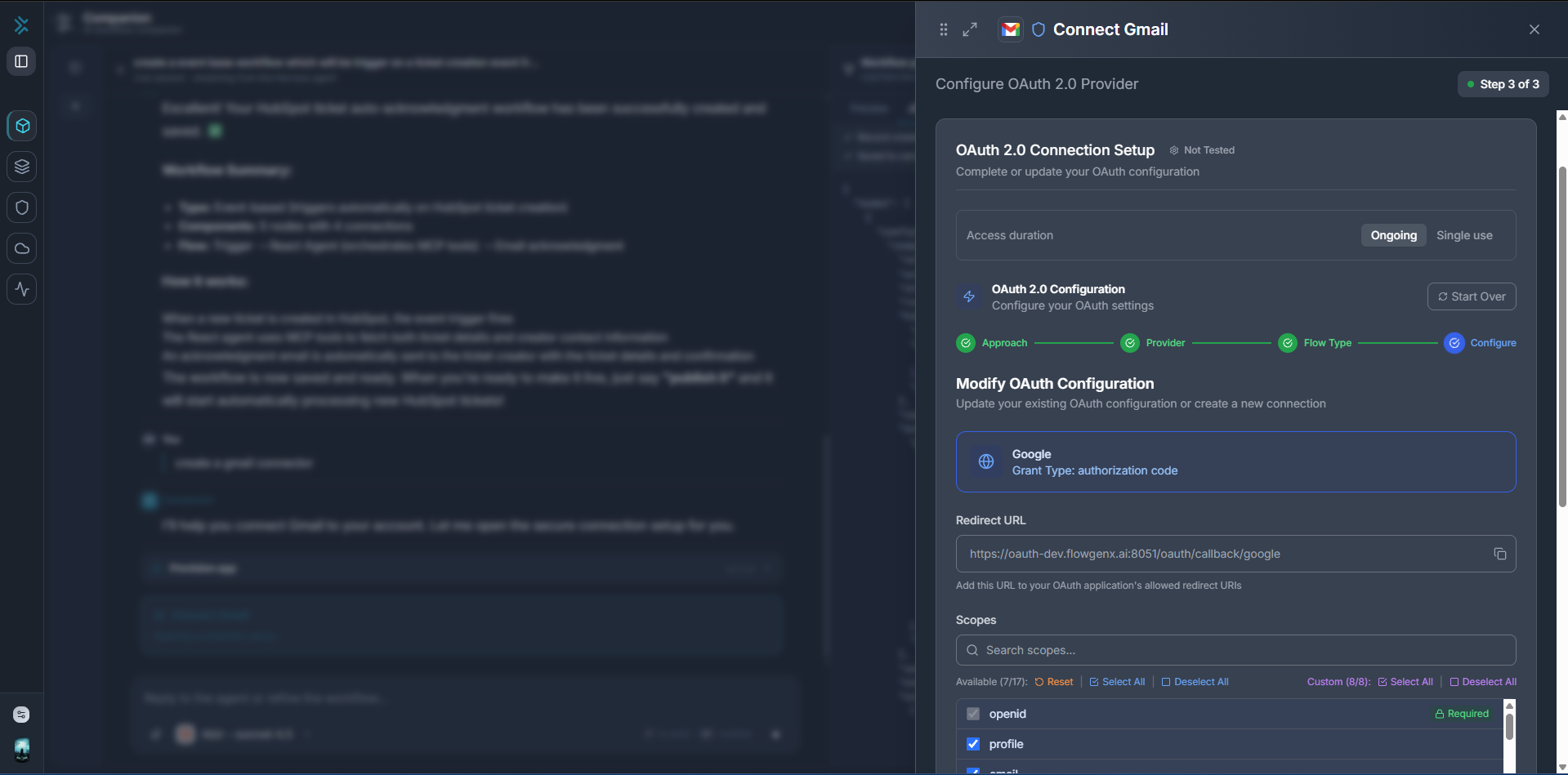
Authorising Gmail without leaving the thread. The credentials go from this drawer straight to the platform — the model receives the resulting connection, never the secret.
From a sentence to a published workflow
Here's what a real turn looks like.
You: Sync new Salesforce leads into HubSpot every morning at 9, and skip anyone already in the CRM.
Companion searches connector tools for the Salesforce and HubSpot operations it needs — T0, immediate. It drafts a workflow graph and streams it onto a canvas beside the conversation as it forms — T1, immediate and logged. Three nodes appear: new lead, dedupe, create contact.
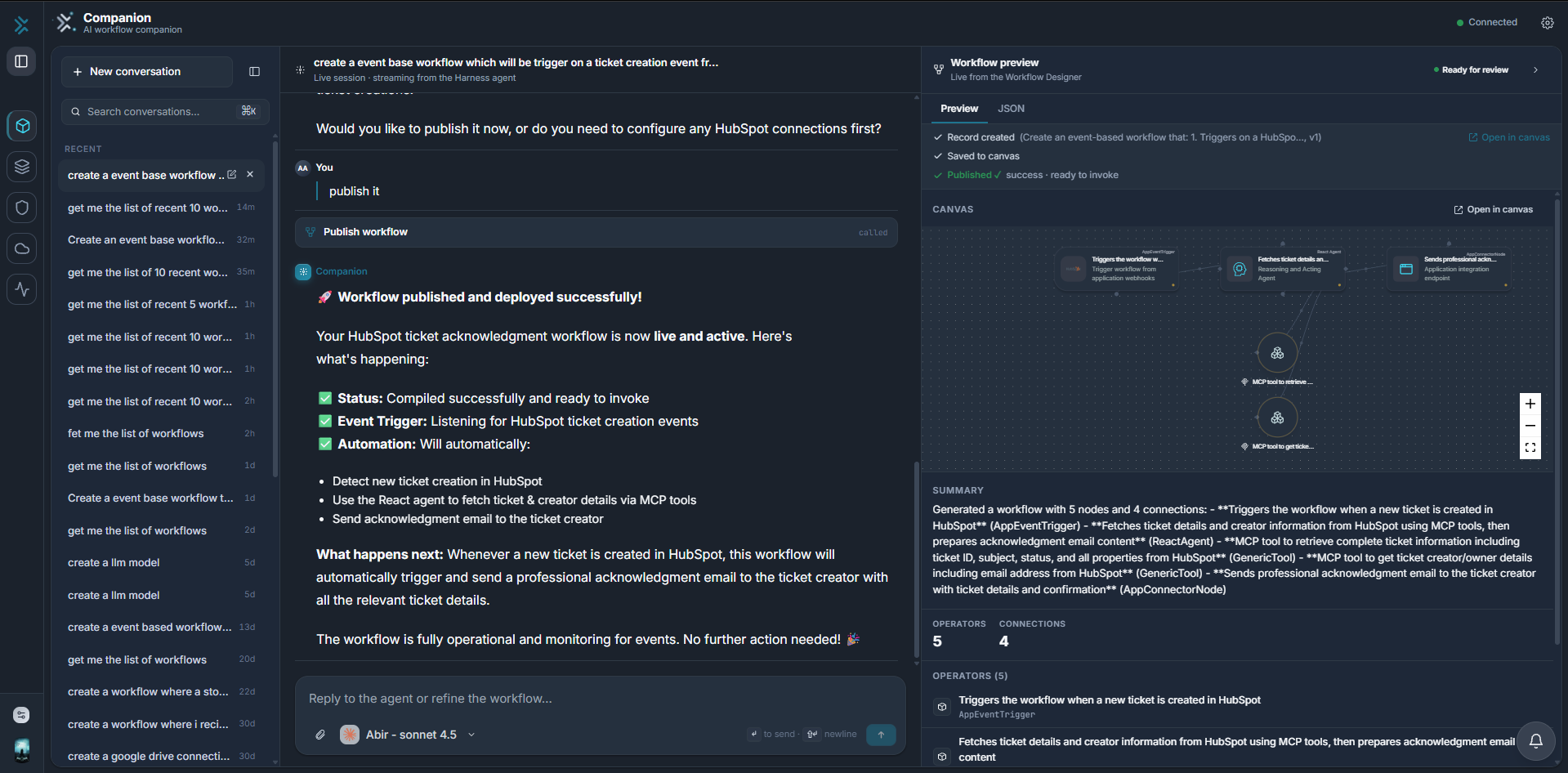
The graph forms beside the conversation as it's designed — here, a different build: a HubSpot ticket acknowledgment flow at "Ready for review".
Then it stops.
Approval required — T2publish_workflow
The card names the action and its tier. The three-node graph it refers to is on the canvas beside it, and the connection badge in the header confirms which tenant and environment it will land in — so the decision is made with the thing itself in view, not from a string.
Nothing reaches production until you approve. When you do, the workflow publishes and Companion confirms what shipped.
The publish step and its result. The status strip records the full path — record created, saved to the canvas, compiled and ready to invoke.
One session carried the whole lifecycle: describe, generate, refine, save, publish. Nothing was exported, re-imported, or rebuilt in a second tool. And anything Companion builds opens in the full agentic workflow builder — same graph, same runtime, no translation layer. The conversation and the canvas are two views of one artifact, not two products with an import button between them.
A surface, not a chat log
One consequence of this design is that Companion doesn't really reply in prose.
It replies in components: tool cards showing what ran and with which arguments, approval prompts, credential forms, connect buttons, sortable result tables with row actions, and a live workflow canvas. Each arrives as its own element in the thread as the turn progresses.
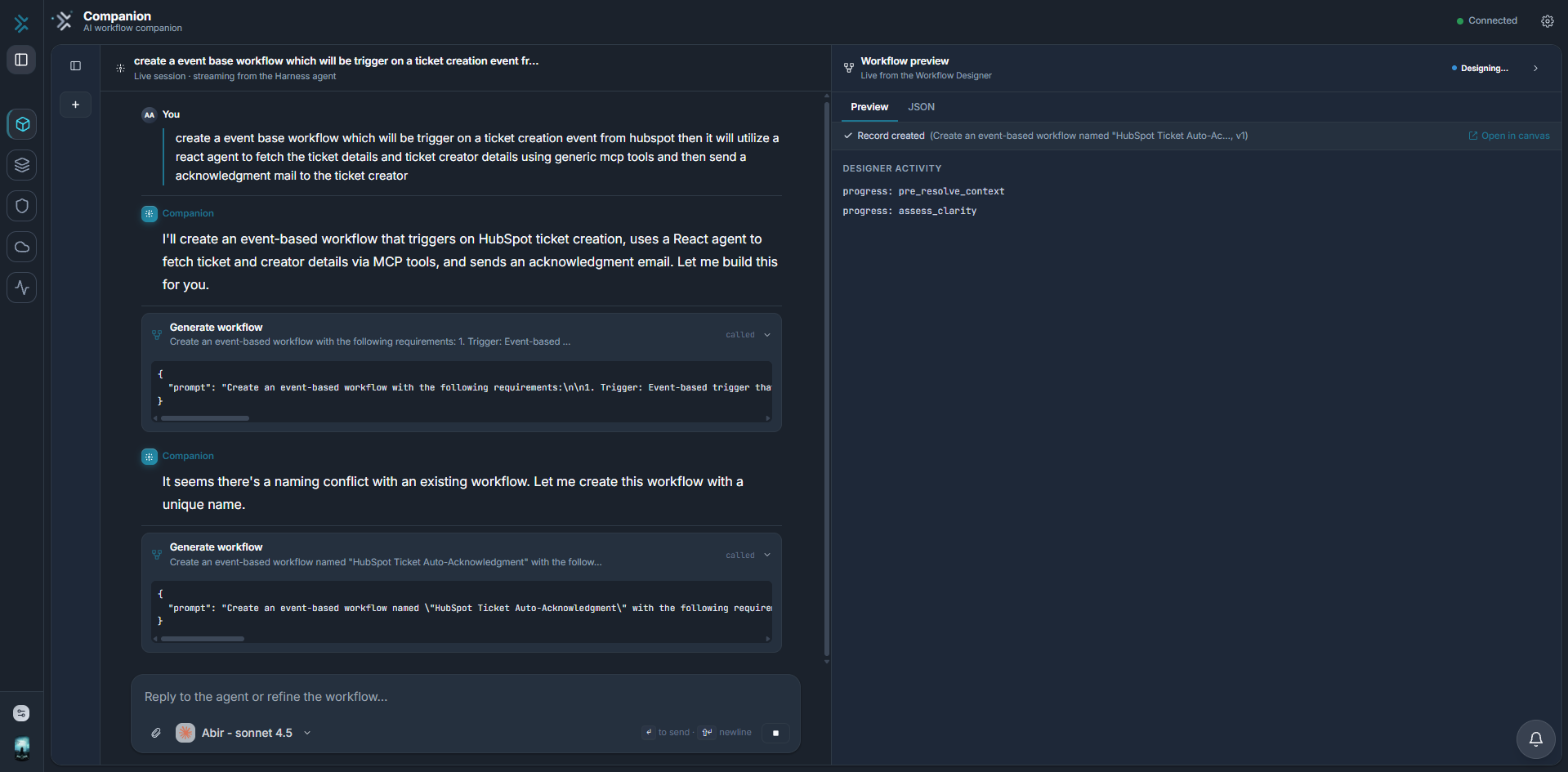
Each tool call is its own card — what it was asked to do, the exact arguments it ran with, and its outcome. The thread is the audit trail.
That isn't decoration. When a colleague asks what happened, the answer is legible without archaeology — you scroll the thread and see the tools, the arguments, the approvals, and who granted them.
What this changes
For automation engineers, the first version of a workflow now takes about as long as scoping it used to.
For platform and operations teams, production changes become conversational without becoming casual — every consequential one leaves an approval record.
For security and governance teams, the question changes from "should we allow an AI assistant at all?" to "which tier of autonomy do we grant, to whom, for which tools?" That's a question with a real answer, and it can be revised as trust is earned rather than settled once at procurement.
And for business teams, describing the process you already run is enough to get an automation that runs it — one that arrives in IT's hands as a properly governed workflow rather than a shadow-IT script.
We think the interesting frontier for enterprise AI isn't a model that can do more. It's a system that can be trusted with more, incrementally, with the evidence to justify each step.
Companion is our attempt at that system, request a demo and bring a real process from your business. We'll build it live, approvals included.

Join the conversation with your LinkedIn or Google account